
Description
Complete Supermarket POS System – Hardware & Software
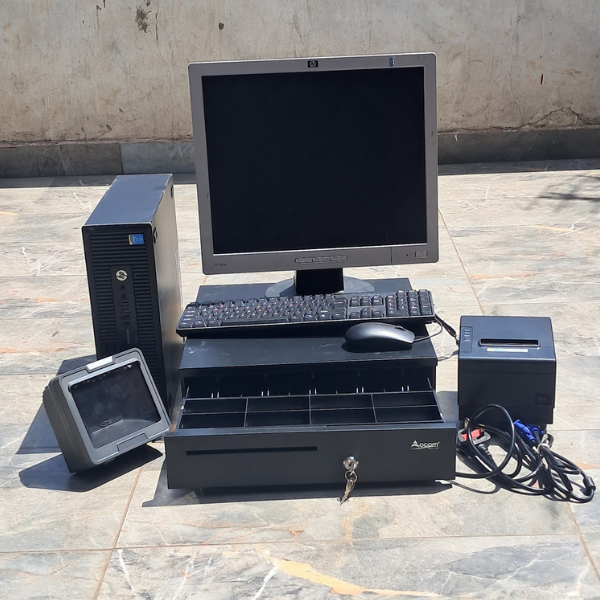
Our Complete Supermarket Point of Sale (POS) System is a ready-to-use solution designed for supermarkets, minimarts, grocery stores, retail shops and wholesale businesses. The package combines essential POS hardware with web-based POS software to provide a complete checkout and business management solution.
🖥️ Complete POS Hardware
1. 4th Generation Desktop Computer + 19″ Square Monitor
The 4th Generation desktop computer serves as the main workstation for the POS system. It runs the web-based POS software and allows the cashier to process sales, manage products and access business information.
The included 19-inch square monitor provides a clear and convenient display for cashier operations, product searches and transaction processing.
Ideal for: Running the POS software and managing daily checkout operations.
2. Syble XB-8808 Table-Mount Barcode Scanner
The Syble XB-8808 barcode scanner allows cashiers to quickly scan product barcodes during checkout. Instead of manually entering product information, the cashier simply scans the barcode and the corresponding product can be retrieved from the POS system.
Its table-mount design is convenient for supermarket counters because the scanner can remain positioned at the checkout point, allowing products to be scanned quickly and efficiently.
Ideal for: Fast checkout, product identification and barcode-based sales.
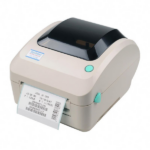
3. Xprinter Thermal Receipt Printer
The Xprinter thermal receipt printer is used to print customer receipts after successful transactions. It uses thermal printing technology, meaning it does not require traditional ink cartridges.
This makes it suitable for businesses processing many transactions every day. Customers receive a physical receipt showing their purchase and transaction details.
Ideal for: Printing supermarket and retail sales receipts.
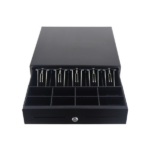
4. Cash Drawer
The cash drawer provides a dedicated and organized storage area for cash collected from customers.
It helps keep the checkout counter organized by providing separate compartments for different denominations of notes and coins. The drawer can work as part of the POS checkout setup alongside the computer and receipt printer.
Ideal for: Secure and organized cash handling at the checkout counter.
💻 Web-Based POS Software
The web-based POS software is the management platform that brings the hardware together. It allows the business to process sales and manage important supermarket operations from one system.
Software Features
🛒 Sales Management
Process customer purchases, calculate totals and record completed sales.
📦 Inventory Management
Monitor stock levels and keep track of products available in the business.
🏷️ Product Management
Add and manage products, prices, product information and barcodes.
🔍 Barcode Integration
Use the barcode scanner to quickly identify products during checkout.
🧾 Receipt Management
Generate transaction receipts and send them to the thermal receipt printer.
💰 Payment Management
Record customer payments and manage different transaction types supported by the system.
📊 Sales Reports
Review sales information and monitor business performance.
📈 Business Reporting
Access useful sales and operational information to help understand business performance.
🚚 Supplier Management
Keep supplier information and manage purchasing-related records.
📥 Stock-In Management
Record products received into the business and update inventory accordingly.
📤 Stock-Out Management
Track products leaving the inventory through sales or other stock movements.
⚠️ Stock Monitoring
Monitor available inventory and identify products that require restocking.
👤 User & Cashier Management
Create and manage users or cashiers who operate the POS system.
🔐 User Permissions
Control what different users can access within the POS system.
💵 Cash Management
Keep track of cash transactions handled through the checkout.
🔄 Returns Management
Manage product returns and related transactions where supported.
🧮 Automatic Calculations
Automatically calculate product totals and transaction amounts, reducing manual calculation.
📋 Transaction History
Keep records of previous transactions for easier reference and management.
🌐 Web-Based System
The POS software operates through a web-based interface, providing a convenient way to access the system on compatible devices and network setups.


Reviews
There are no reviews yet.